How I Scaled Zero Lifestyle to 2M+ Users: A Shopify Developer's Case Study
Most case studies you read online are vague. They say things like "we improved performance" and "we drove growth" with no numbers behind them. This one has numbers, because I think you should be able to judge the work yourself.
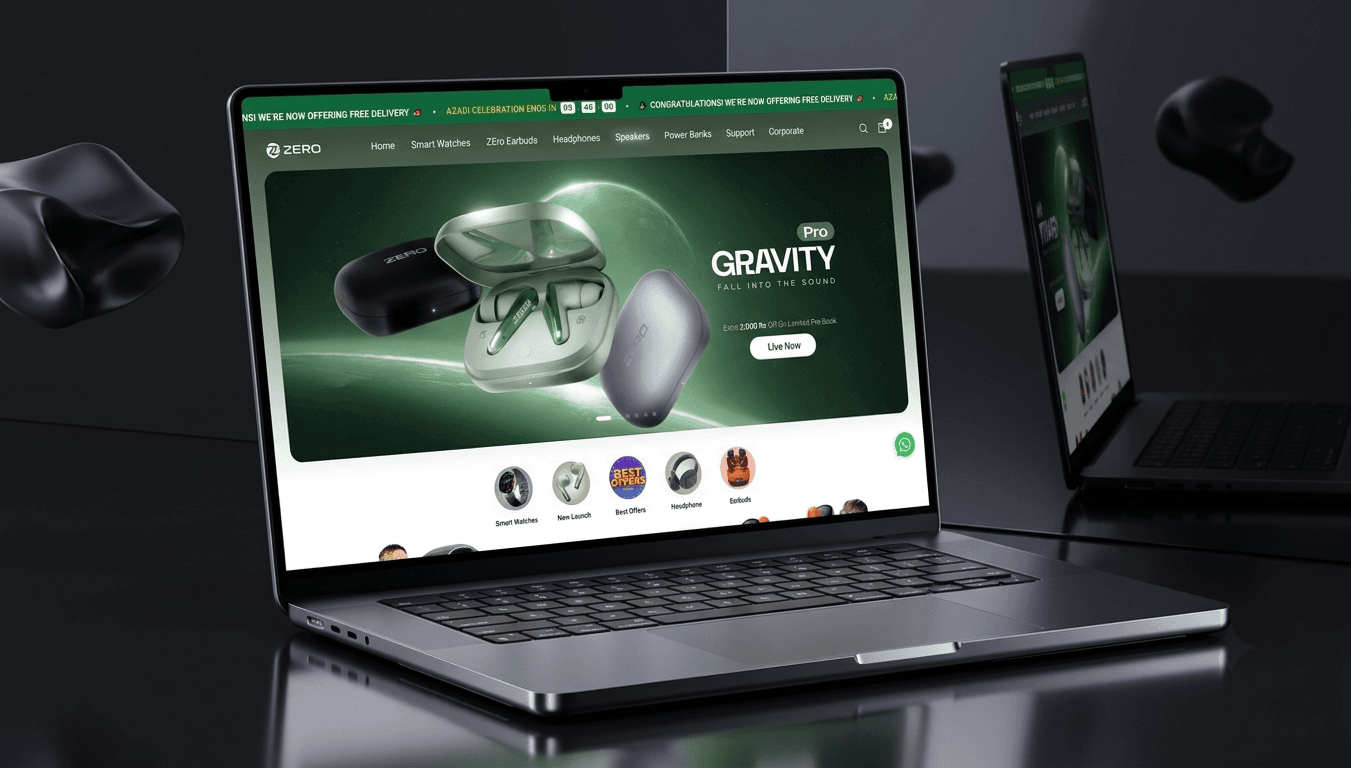
I am the developer behind the Shopify storefront for Zero Lifestyle, one of the top wearable tech brands in Pakistan. The store serves more than 2 million users. I own the storefront end to end, which means theme architecture, performance, new features, and the automation that keeps the day to day running. Here is what that actually involved, the problems I hit, and the real before and after.
Where it started
A store that grows fast often grows messy. That is normal. Traffic climbs, the team adds apps to solve quick problems, sales sections get bolted on for each campaign, and nobody owns the overall health of the storefront.
When I looked closely, the symptoms were clear:
- Key product pages were slow on mobile, which is where most of the traffic comes from.
- The opal earbuds page, one of the best sellers, scored a GTmetrix grade D. Largest Contentful Paint was 3.1 seconds and Total Blocking Time was 973 milliseconds.
- Several back office tasks were being done by hand every day, which ate time and caused mistakes.
- There was no single person responsible for keeping the storefront fast and stable as it scaled.
The goal was simple to say and harder to do. Make it fast, make it stable, and take the manual work off people's plates, all without breaking a live store that thousands of people are using right now.
Step 1: I measured before I touched anything
The first rule of performance work is that you cannot improve what you have not measured. So before changing a single line, I recorded baselines for the pages that matter most: the homepage, the top product pages, and the collection pages.
I used GTmetrix and PageSpeed Insights, tested on mobile, and ran each page several times to get a real average rather than one lucky result. Those numbers became the scoreboard. Every change after that had to move the scoreboard or it did not ship.
Step 2: I cut the dead weight
The fastest wins in Shopify are almost always about removing things, not adding them.
I audited every installed app and asked the same question for each one: is this earning its place? Apps that were not used got removed. For apps that stayed, I checked whether their scripts were loading on every page or only where they were needed, and moved them so they only loaded where they mattered.
Then I went into the theme and cleaned out leftover code from apps that had been uninstalled long ago but left scripts behind. This is more common than people think, and it is free speed once you find it.
Step 3: I fixed the heavy parts of the page
With the clutter gone, I went after the big files.
- Images. Product images were resized to sensible dimensions and served in modern WebP format. Below the fold images were set to lazy load. Every image got width and height so the layout stops jumping while it loads.
- Scripts. Anything that did not need to run before the page appeared was deferred. This is what crushed the blocking time.
- Critical rendering path. I made sure the things needed to show the top of the page load first, and everything else waits its turn.
Step 4: I tuned the theme and Liquid
This is the part that needs real Shopify knowledge. I went through the theme architecture, reduced render blocking assets, and trimmed heavy Liquid that was doing more work than it needed on every page load. Less server work means a faster Time to First Byte, which sets the tone for everything that follows.
The results, with real numbers
Here is the before and after for the opal earbuds product page. Same URL, same test conditions, only the optimisation work changed.
| Metric | Before | After |
|---|---|---|
| GTmetrix Grade | D | A |
| Performance Score | 53% | 95% |
| Largest Contentful Paint | 3.1s | 1.4s |
| Total Blocking Time | 973ms | 44ms |
The storefront homepage now sits at a GTmetrix grade A as well, with a 100 percent performance score, a 582 millisecond LCP, and 14 milliseconds of Total Blocking Time, all while serving a base of 2 million plus users.
A page that loads in 1.4 seconds instead of 3.1 seconds is not a small tweak. Deloitte's research found that a 0.1 second improvement in mobile load time can lift retail conversion by around 8 percent. We moved the needle by 1.7 seconds.
The part nobody sees: automation
Speed gets the attention, but the automation work saved the team the most hours. Several tasks that people used to do by hand every day were rebuilt as automated pipelines. That meant fewer mistakes, faster turnaround, and people freed up to do work that actually needs a human.
This is the difference between a developer who only builds and one who has run a store at scale. You start to see the operational pain, not just the code.
What I would tell another growing brand
A few lessons that apply to almost any Shopify store, not just this one:
- Test on mobile and on product pages. Your homepage score can look fine while the page that actually sells is slow.
- Removing beats adding. Most speed problems come from too much, not too little.
- One owner. A storefront needs someone who is responsible for its health over time, not just one off fixes.
- Measure everything. Numbers turn opinions into decisions.
Want the same on your store?
If you run a D2C or fashion brand on Shopify and your pages feel slow, or your team is drowning in manual work, this is exactly what I do. You can read the full Zero Lifestyle case study here, or send me your store URL for a free performance audit. I will show you where you stand and what I would fix first. Get in touch.
Senior web developer specialising in React, Shopify & WordPress for UK & US clients.